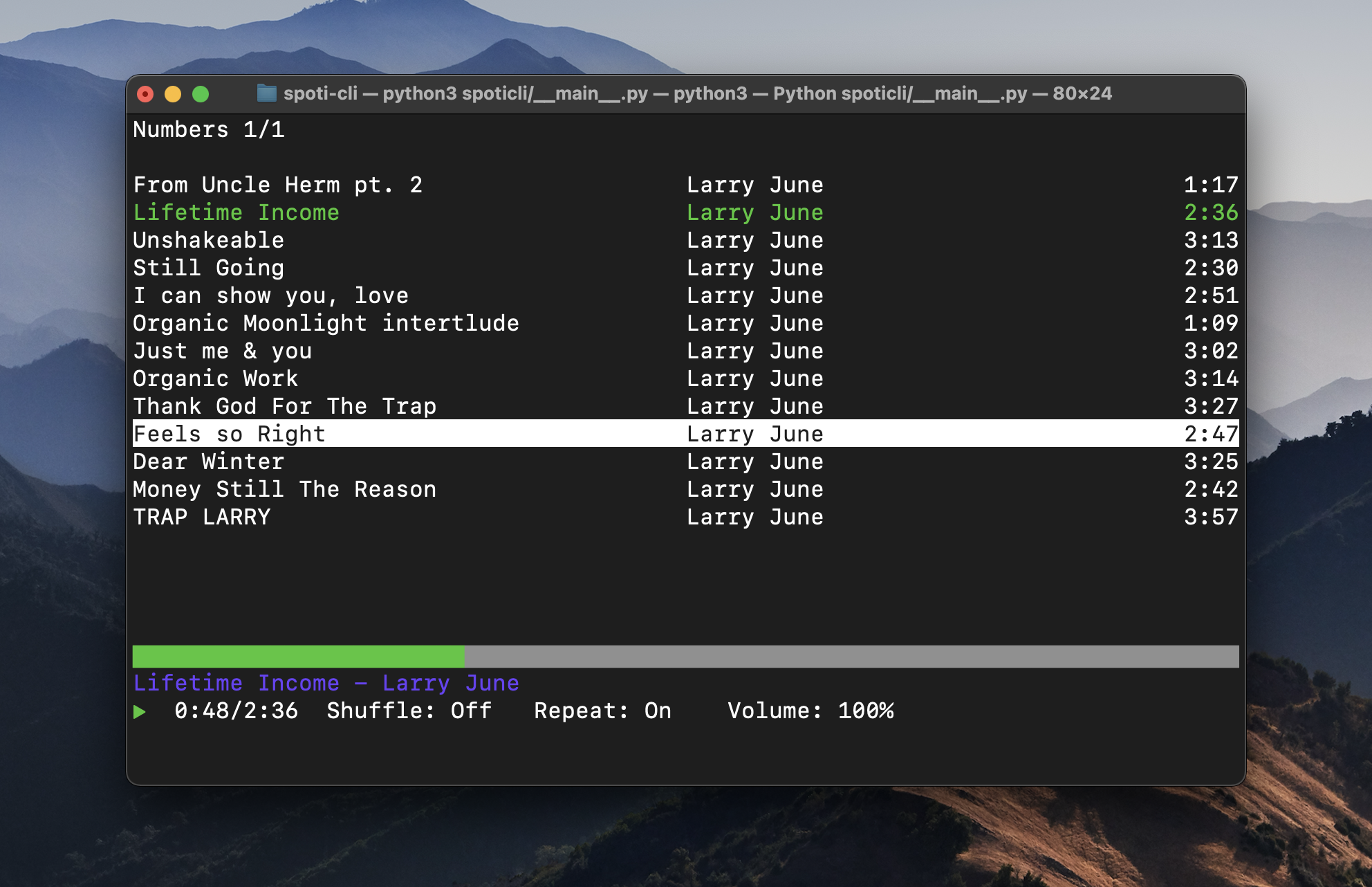
Spoti-CLI
Terminal Spotify client with vim keybindings. AppleScript/D-Bus control, lyrics via Genius, and queue management.
The Problem
During a period where I was deep into vim and optimizing my dev workflow, Spotify became a friction point. Switching windows to change tracks or browse playlists broke my flow. I wanted music control integrated directly into my terminal, something with vim keybindings that stayed out of my way.
Technical Approach
Built a TUI using Python's blessed library with vim-style keybindings for navigation and playback.
Architecture highlights:
- Component-based TUI: Base Component class handles render lifecycle (update/output/handleInput). ViewManager orchestrates the ~30 FPS render loop with a view history stack for back-navigation.
- Template system: Menu and TextLines templates handle pagination, scrolling, and active item highlighting. New views just subclass and inherit all navigation behavior.
- Action-based keybind system: Keys map to semantic actions ("j" -> "down" -> handler), making keybindings user-configurable via JSON config.
- API layer: Wrapper handles automatic pagination and rate limiting. Endpoint-keyed caching persists to ~/.cache/spoti-cli/.
Playback control goes through AppleScript (macOS) or D-Bus (Linux) rather than Spotify's Web API. System-level calls are significantly faster, resulting in instant response to play/pause/skip commands.
Interesting Challenges
Spotify OAuth: The authorization code flow with token refresh was its own mini-project. Spun up a local Flask server to catch the callback, then polled for the code before exchanging it for tokens. Auto-refresh handles session expiration transparently.
Genius song matching: Genius's search API returns fuzzy matches, not exact. The matching algorithm searches "{song} {artist}", iterates results looking for case-insensitive artist name matches, and falls back to the first result. Then scrapes the actual lyrics from the Genius webpage since their API doesn't return lyrics directly. Not perfect, but works surprisingly well in practice.
What I'd Do Differently
If I revisited this, I'd expand the scope: album art rendering in the terminal (sixel or kitty graphics protocol), richer queue management with reordering, and artist/genre radio for discovery. The core abstractions are solid enough to support these without major refactoring.
Key Features
- -Vim keybindings for navigation (j/k/h/l)
- -Full playback control
- -Lyrics display via Genius API
- -Playlist and liked songs browsing
- -Queue management
- -Cross-platform (macOS + Linux)
Tech